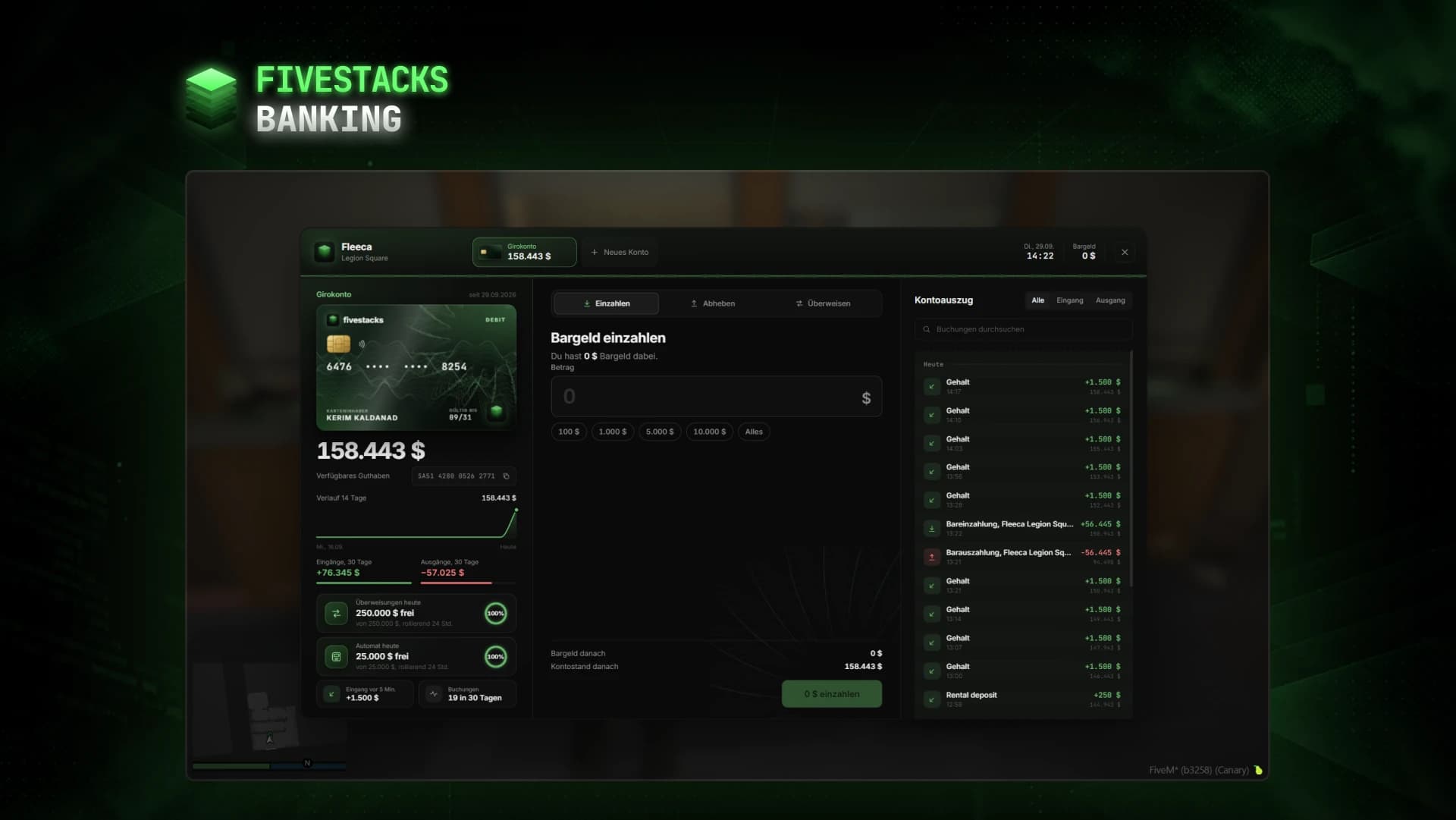
- > ensure fivestacks_banking
- [fivestacks_banking] v1.0.0 started, framework: qbx, database: MySQL, 8 banks, fivestacks.dev
fivestacks_banking
0.00ms
Take the tour
What each part of the menu does. Hover or tap a point.
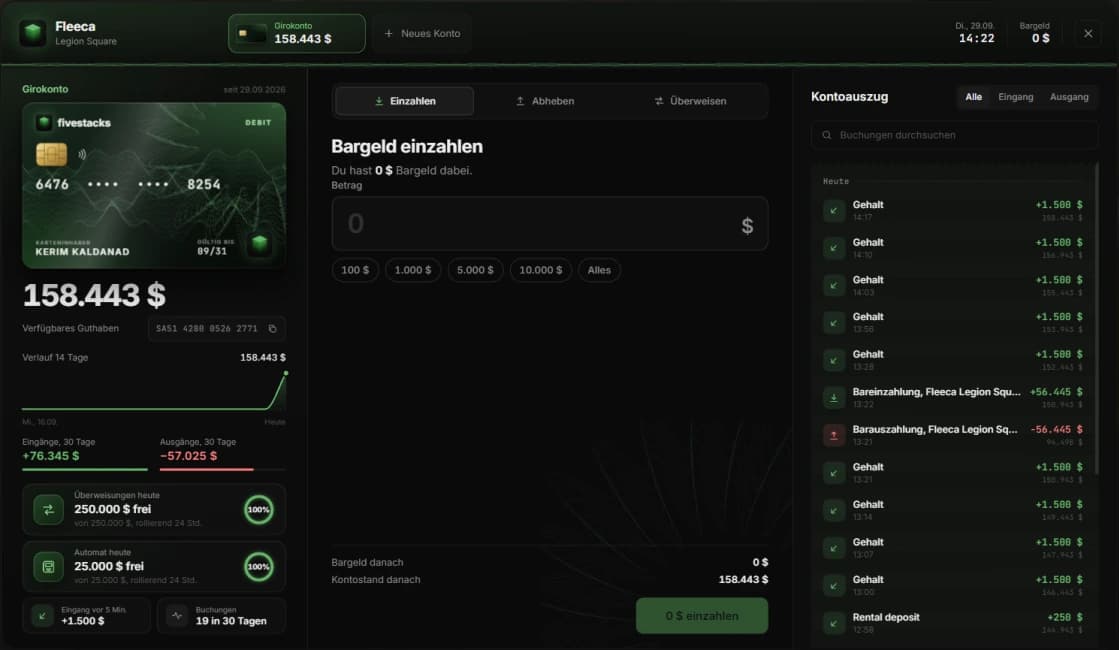
What Banking does
Players walk up to a bank counter to deposit, withdraw and send money by account number, and read a statement that looks like a printed one. Savings pay interest, shared accounts give a family or crew one balance, and bosses run their job's account. At the ATMs they enter a PIN, play the ATM animation and take their cash.
- 8 banks and 4 ATM models out of the box
- Daily limits of 250,000 in transfers and 25,000 from ATMs
- Up to 2 shared accounts per character, 6 members each
- Transfer and ATM fees, off by default
- Discord logs for large bookings and account changes
- Exports and hooks for other scripts
- MySQL, MariaDB and PostgreSQL through oxmysql
Checking and savings
Checking is the framework's bank money, so salaries, shops and other scripts keep working. Savings pay 0.1% every 60 minutes by default, on up to 1,000,000.
Shared and business accounts
Owners add members by server ID or from players nearby and choose who may withdraw. Bosses use their job's account, and every booking shows who made it.
Transfers by account number
Check digits catch typos while typing. The recipient's name shows before a confirm dialog, and players who are offline get the money at their next login.
Printed style statement
Grouped by day, with filter, search and paging, plus a 14-day balance curve. Salary, shop payments and fines from other scripts are listed too.
ATMs with PIN
A 4 digit PIN with a lock after wrong tries, quick amounts, cash deposit and a short statement. The player plays the ATM animation and bills slide out of the slot.
Checked on the server
Bank distance, rights, amounts, limits and the balance are checked on the server. The balance is checked and changed in one SQL statement, so money is never spent twice.
Fits into your server
Detected automatically, or set in the config. The database type is read from your oxmysql connection string.
Interaction
- ox_target
- qb-target
- built-in key prompt
Business accounts
- esx_addonaccount
- fivestacks table
Database
- MySQL
- MariaDB
- PostgreSQL
Controls
- Open the bank or an ATM at the key promptE
- Close the menu or a dialogEsc
- Type the PIN or an amount at the ATM0-9
- Delete the last digitBackspace
- Confirm at the ATMEnter
- Turn the bank cardClick
Config and exports
The config, locales and framework bridges are plain Lua you can edit. These snippets come straight from the files you get.
config/config.lua
Config.Banks = {
    { name = 'Fleeca', branch = 'Legion Square', coords = vec3(149.9, -1040.46, 29.37) },
    { name = 'Pacific Standard', branch = 'Vinewood', coords = vec3(246.64, 223.2, 106.29) },
    -- 8 banks by default, coords = where the player stands at the counter
}

Config.Atm = {
    Enabled = true,
    Models = { 'prop_atm_01', 'prop_atm_02', 'prop_atm_03', 'prop_fleeca_atm' },
    Pin = true,                      -- 4 digit PIN, players set it at the first use or at the bank
    QuickAmounts = { 100, 500, 1000, 2500, 5000, 10000 },
    DailyLimit = 25000,              -- cash per character and day from ATMs, 0 = no limit
    Fee = 0,                         -- fee per ATM withdrawal
    Deposit = true,                  -- ATMs accept cash
}
Installation
5 steps from download to a running script. Pick a step to see what goes where.
- resources
resources/└─ [fivestacks]/ └─ fivestacks_banking/ ├─ bridge/ ├─ client/ ├─ config/ ├─ locales/ ├─ server/ ├─ shared/ ├─ sql/ ├─ web/ ├─ fxmanifest.lua └─ README.md
Step 1 of 5
Changelog
v1.0.0Sep 29, 2026
- First release
How buying works
Sales open on October 16. Until then you can look around and ask questions on Discord.
- 1
Open a ticket
Pick a script and open a ticket on our Discord to buy it.
- 2
Get the resource
You receive the resource folder, with the config, locales and framework bridges open to edit.
- 3
Ensure it
Drop it into your resources, add ensure to server.cfg and restart.
More scripts
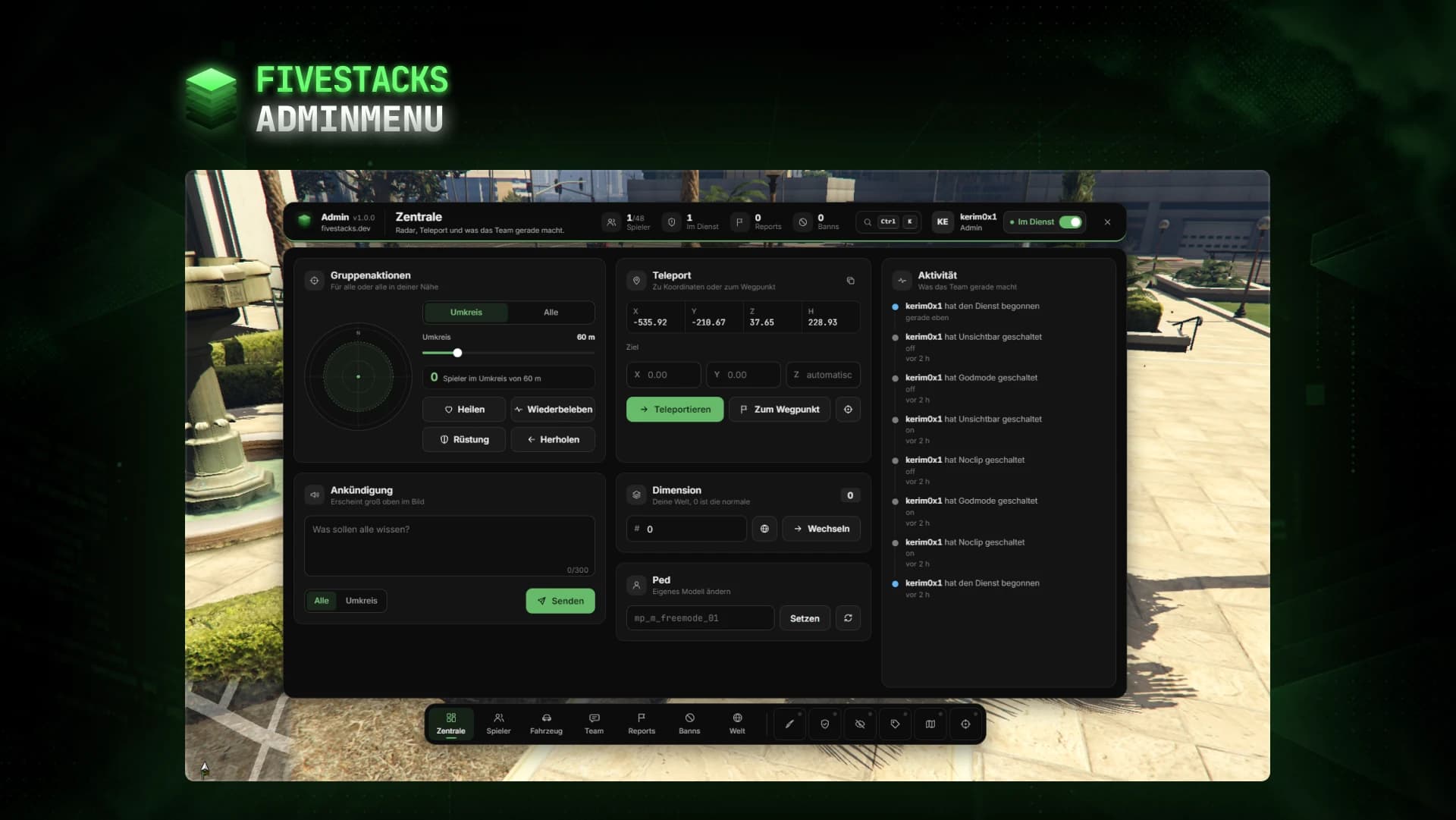
Admin Menu
€80An admin menu for players, vehicles, reports, bans, team chat, weather and developer tools.
- ESX
- QBCore
- Qbox
- Standalone
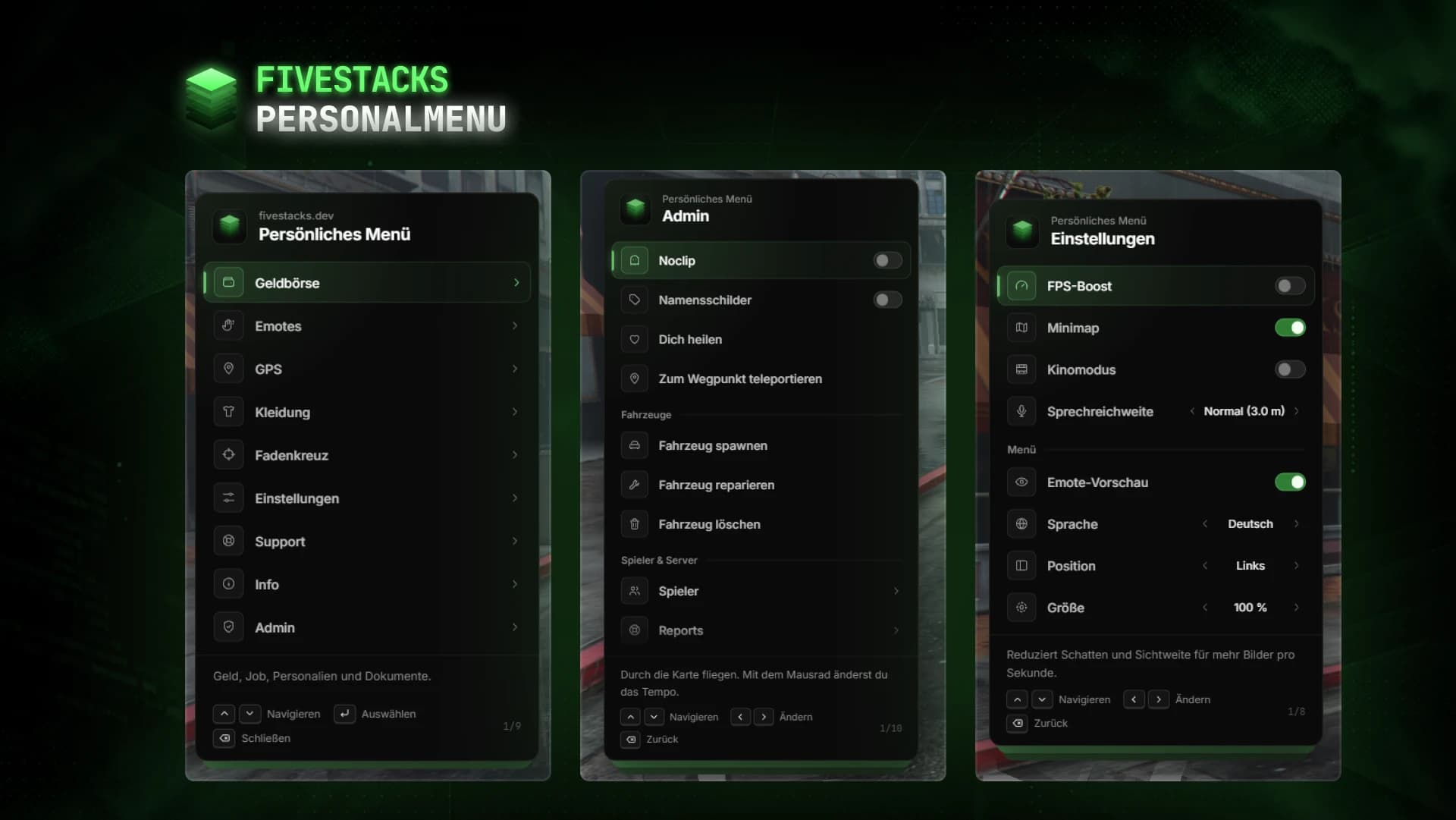
Personal Menu
€80Wallet, documents, emotes, settings and admin tools in one F5 menu.
- ESX
- QBCore
- Qbox
- Standalone
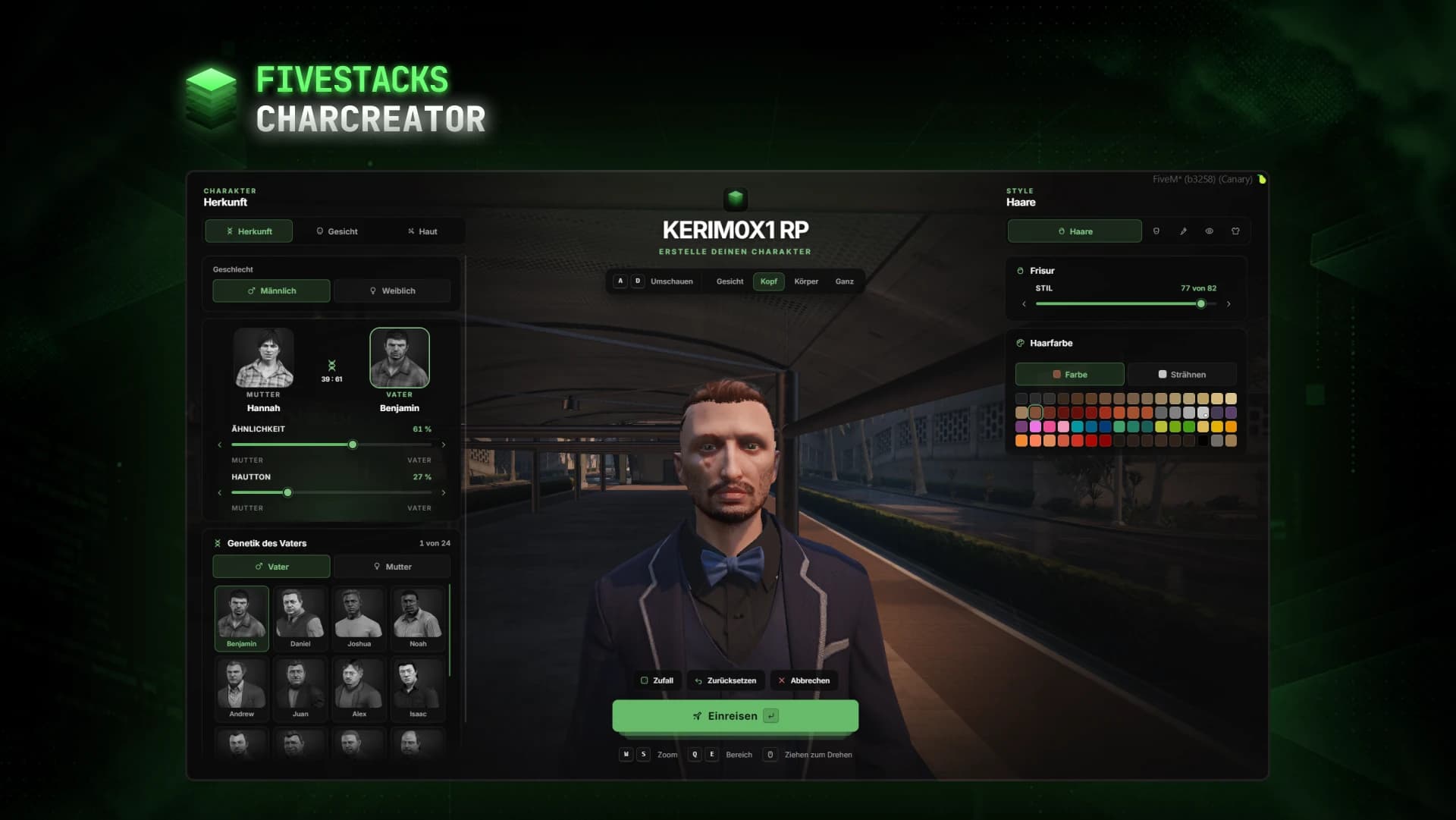
Character Creator
€80Fullscreen character creator with heritage, face, skin, hair, make-up and clothes live on the character.
- ESX
- QBCore
- Qbox
- Standalone